Compliance and Authorization
BPMNBPMN Studio
Describe the workflow. Get the diagram. Run it.
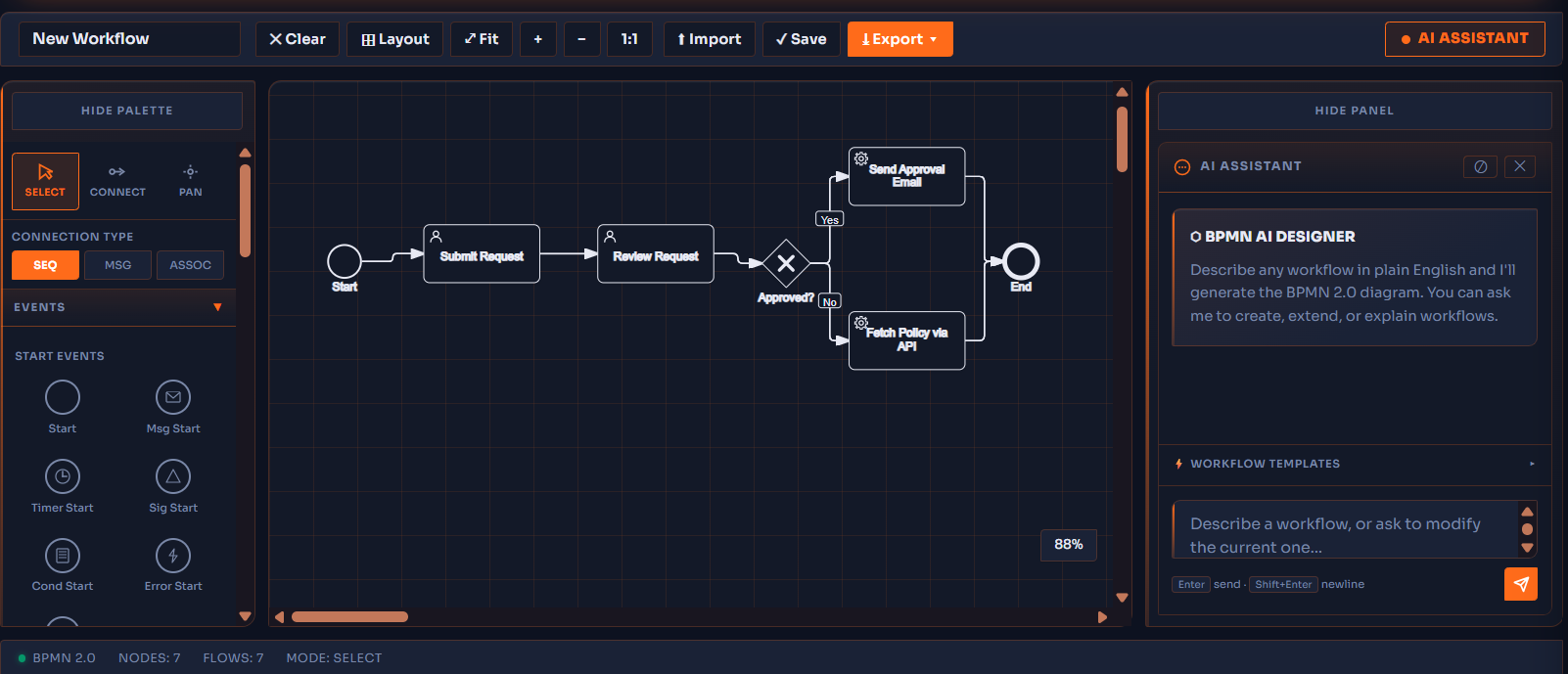
BPMN Studio is a full BPMN 2.0 editor with an AI assistant: describe a process in plain English and it draws the diagram, then refine it by hand, set the properties, and drop it into AlloyGRC. The remediation and ATO workflows themselves were built this way. Low code, standard notation, your process team's own tool.
Three ways to build a diagram
Plain English, by hand, or both
Start from a sentence or start from a blank canvas. Either way the result is standard BPMN 2.0 that any process tool can open, and that AlloyGRC executes.
-
AI Assistant
Describe any workflow in plain English and the assistant generates the BPMN diagram: lanes, tasks, gateways and events. Runs on the local model, so your process descriptions stay inside your boundary.
-
Full editor
Draw and rearrange elements on the canvas, connect them, and set each element's properties in the properties panel. Undo, redo, export the XML.
-
Built on it ourselves
The foundational diagrams that remediation and the ATO workflow run from were created in the Studio. It is not a viewer bolted on; it is how the product's own processes were made.
-
Live view
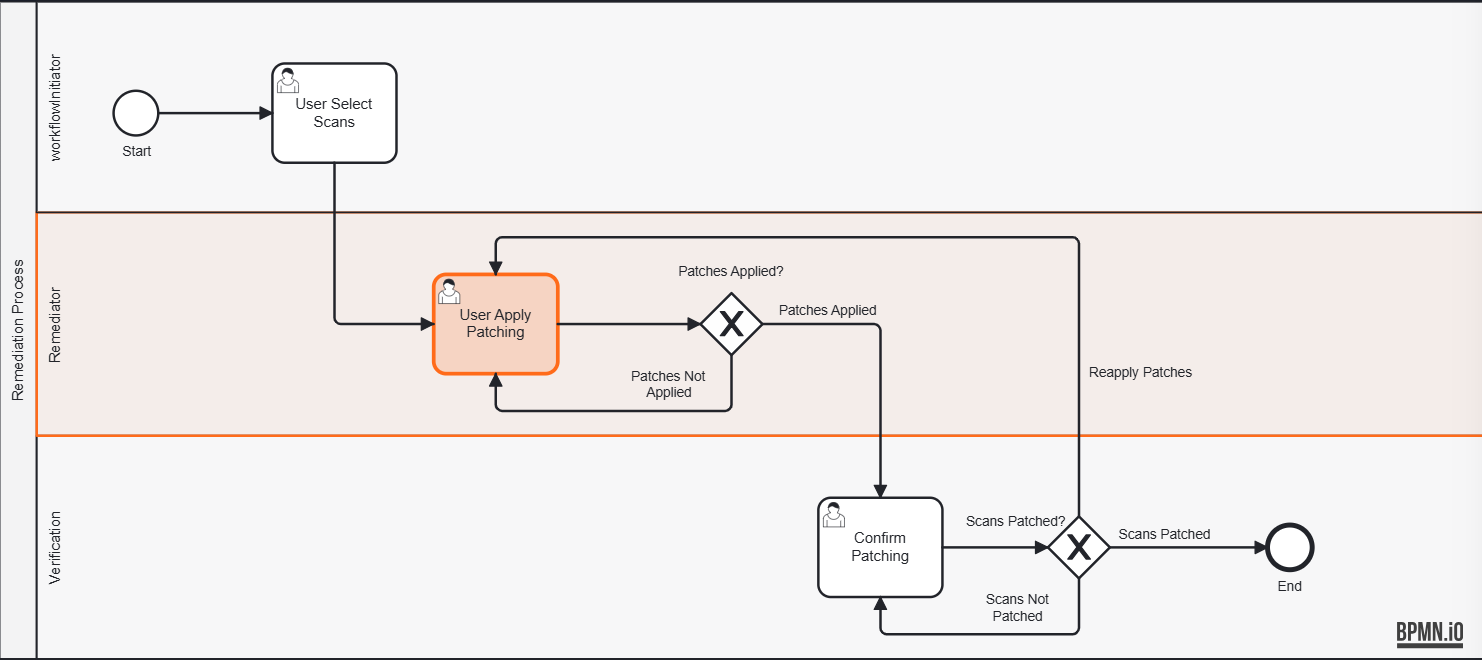
Every running workflow renders its diagram with the current step highlighted, so anyone can see where a remediation or a package stands.
Seen in the app
The studio, and a diagram it runs
Two real captures. The first is BPMN Studio itself: palette, canvas, properties and the AI Assistant panel. The second is the remediation process exactly as AlloyGRC executes it, exported from the studio.
Low code by design
The diagram is the program
Lanes become owners
The lane holding the start event is the initiator. Every other lane belongs to the assigned remediator. Names are read from the diagram, never written in code.
Steps become stages
Tasks and gateways in the diagram are the stages a workflow moves through and the decisions it records.
Existing work follows the new diagram
Running workflows are mapped onto the lanes the new diagram declares when they load. No migration, no orphaned assignments.
Your own custom workflows
Draw or describe a process of your own and run it: an exception review, an onboarding check, a change approval. Standard notation, no developer.
Your seats, your steps, in the ATO workflow
Which role holds each approval and which stages apply will be configured per agency through the workflow definition, so an agency where the ISSM signs instead of the AO does not need a code change.
Describe a workflow. Watch it appear.
Ask for a demo and describe one of your own processes in a sentence. We will run the result.